Rapid instructional design is revolutionizing how SaaS companies deliver customer education at the speed their business actually moves. Let’s be real: your product team just shipped three feature updates while you’re still perfecting slide 47 of your quarterly training rollout. Sound familiar?
Here’s the thing: traditional instructional design wasn’t built for the breakneck pace of modern customer education. While ADDIE methodologies ask you to plan every detail upfront, your customers are drowning in feature releases, competitive pressures, and endless support tickets that could’ve been prevented with just-in-time training.
The gap between what customers need to know and when they need to know it is shrinking fast. Emergency product launches, competitive feature battles, and customer churn prevention don’t wait for your perfectly polished learning modules.
Why Traditional ADDIE Falls Short in Customer Education
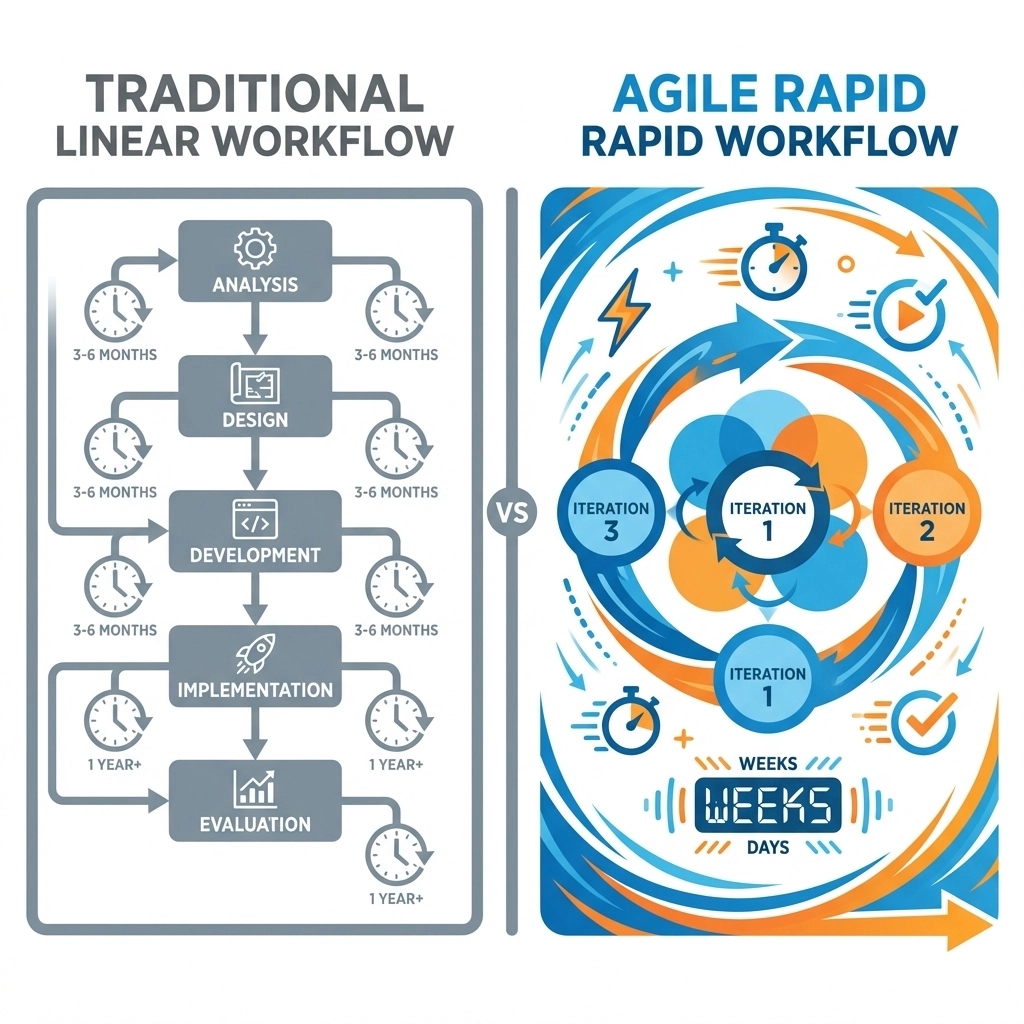
Traditional ADDIE (Analyze, Design, Develop, Implement, Evaluate) works beautifully: if you’ve got six months and a crystal ball. But let’s talk about what actually happens in customer education:
Your product manager drops by on Thursday: “We’re launching this feature Monday. Can you have training ready?”
Your support team forwards another ticket: “Customer can’t figure out the new dashboard. We need help content ASAP.”
Your customer success manager pings you: “Enterprise client threatening to churn. They need advanced training by end of week.”
ADDIE’s linear approach crumbles under these real-world pressures. You end up choosing between speed and quality, often delivering neither effectively.
Enter SAM: Rapid Instructional Design That Actually Works
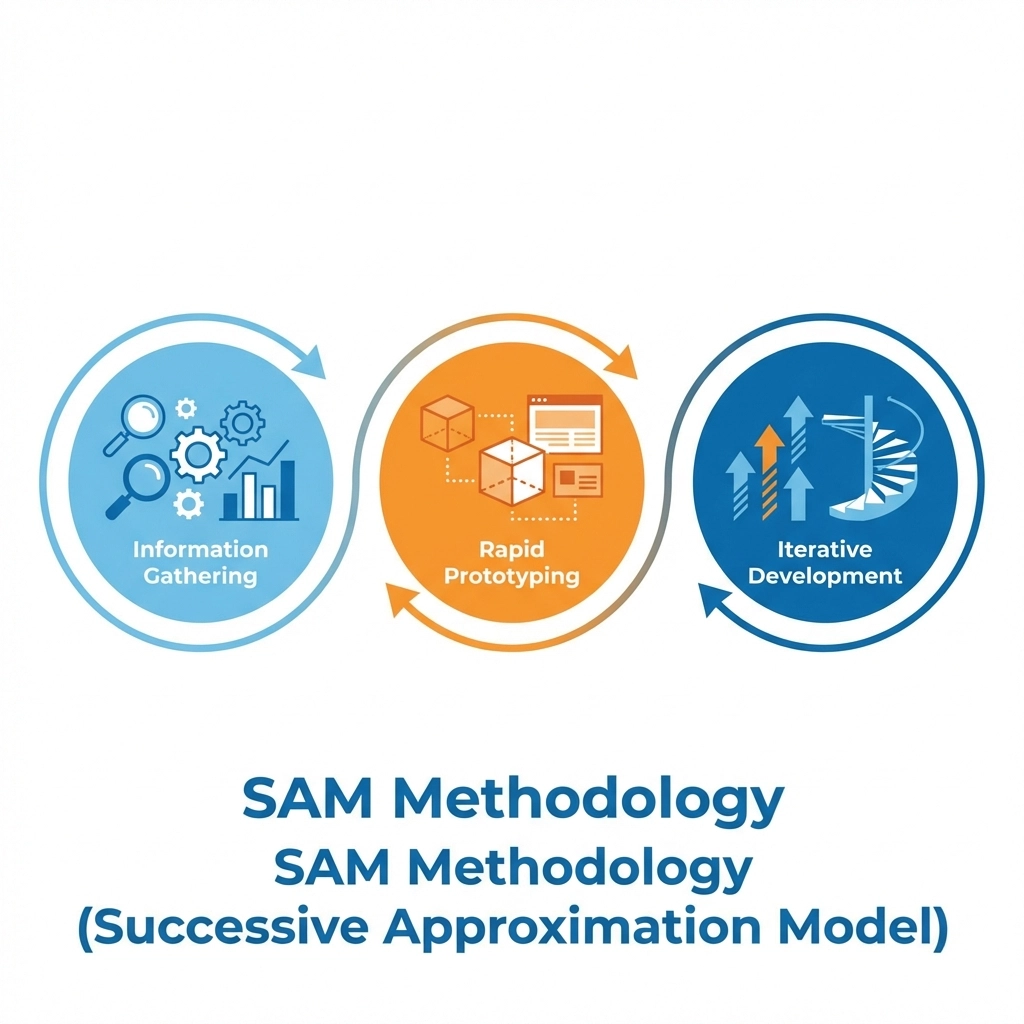
The Successive Approximation Model (SAM) flips the script entirely. Instead of trying to perfect everything upfront, SAM gets you to “good enough to launch” fast, then iterates based on real customer feedback.
Here’s how SAM transforms your customer education workflow:
Phase 1: Information Gathering Sprint
Skip the endless stakeholder interviews. Focus on the critical question: What do customers need to DO differently after this training? Not know: do. This shifts your entire design mindset from information transfer to behavior change.
Phase 2: Rapid Prototyping
Create a minimum viable learning experience in days, not weeks. Think wireframes for training: rough, functional, testable. Your prototype might be a simple Loom recording, a basic interactive demo, or even a well-structured email sequence.
Phase 3: Iterative Development
Launch to a small customer segment immediately. Collect usage analytics, support ticket reduction data, and direct customer feedback. Then improve iteratively.
This approach delivers training to customers 3-4x faster than traditional methods while building better end products through real-world testing.
Rapid Development Cycles for SaaS Training Success
Let’s break down what rapid instructional design cycles look like in practice:
Week 1: Problem Definition & Quick Research
- Identify the specific customer behavior gap
- Review support tickets and customer success conversations
- Define success metrics (not learning objectives: business outcomes)
Week 2: Content Creation Sprint
- Build your MVP training using rapid authoring tools
- Focus on the 20% of content that drives 80% of the behavior change
- Create in formats that allow quick updates (think modular, not monolithic)
Week 3: Test & Measure
- Launch to a controlled customer segment
- Track engagement, completion, and most importantly: behavior change
- Gather qualitative feedback through direct outreach
Week 4: Iterate & Scale
- Refine based on real performance data
- Roll out to a broader customer base
- Plan next iteration cycle
Learning Experience Design in Fast-Cycle Development
Rapid instructional design doesn’t mean abandoning solid LXD principles: it means applying them more strategically. Here’s how to maintain quality while moving fast:
Start with Experience Mapping
Map your customer’s actual workflow, not your product features. Where do they get stuck? What questions do they ask? Design training that fits into their existing processes, not against them.
Embrace Microlearning Architecture
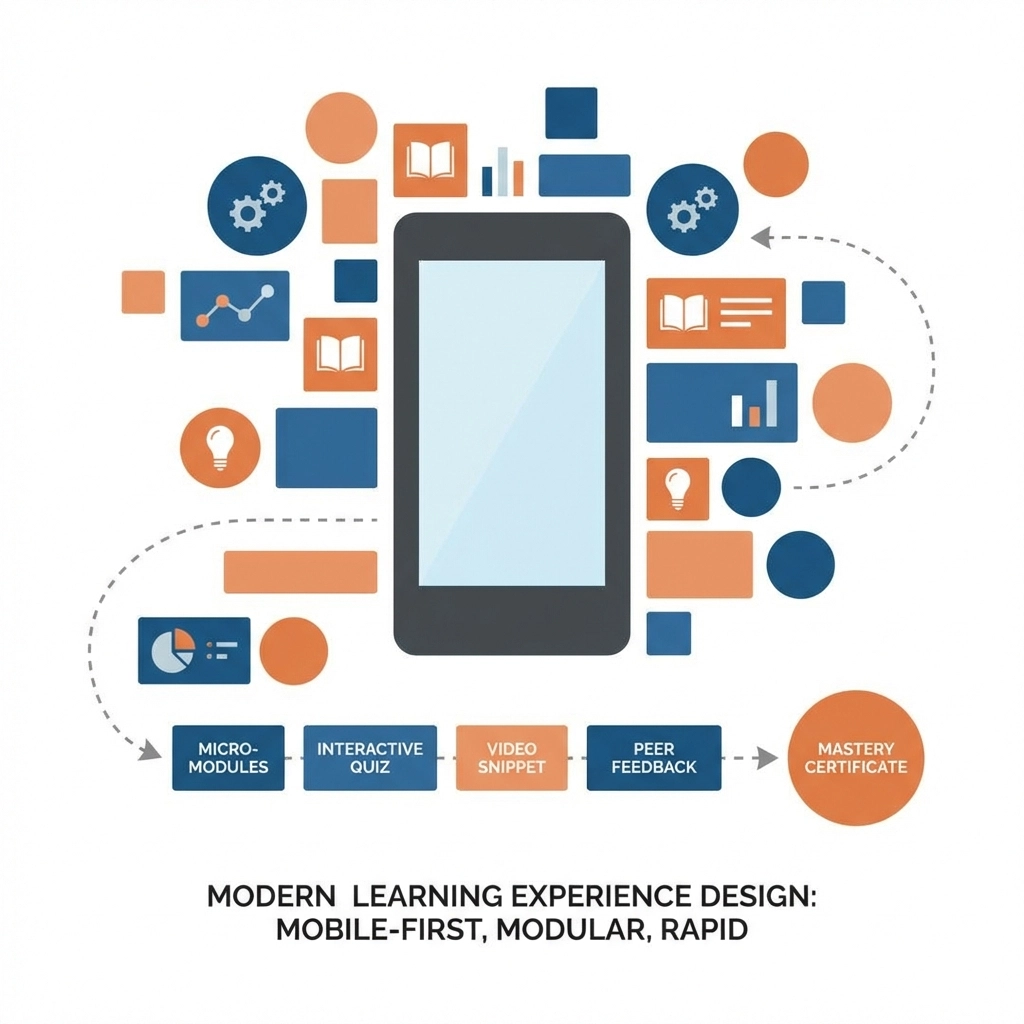
Build training in small, consumable chunks that customers can access just-in-time. This serves dual purposes: faster initial development and easier ongoing updates.
Design for Mobile-First Consumption
Your customers aren’t sitting at desks for dedicated training time. They’re troubleshooting on mobile while traveling, during meetings, or between tasks. Design accordingly.
Prioritize Search and Discovery
In rapid cycles, you’ll create a lot of content. Make sure customers can find what they need when they need it. Solid information architecture becomes critical.
Balancing Speed with Quality in Customer Education
Here’s where most teams struggle: How do you maintain learning effectiveness while moving at startup speed?
The 80/20 Rule Applied
Focus intensely on the 20% of content that drives 80% of customer success. That critical workflow they must master? Perfect it. The nice-to-know feature explanations? Good enough is fine.
Quality Gates That Matter
Forget traditional quality checkpoints. Focus on these rapid instructional design quality indicators:
- Does it reduce support tickets?
- Do customers complete the workflow successfully after training?
- Does time-to-value decrease for new users?
Collaborative Review Sprints
Instead of lengthy review cycles, run focused 30-minute sessions with key stakeholders. Share screen, walk through the experience, make real-time adjustments.
Real-World Scenarios: When Speed Trumps Perfection
Let’s get practical. Here are scenarios where rapid instructional design saves the day:
Emergency Feature Release
Your engineering team pushed a security update that changes the login process. Customers are confused, and support is overwhelmed. You need to live training for 24 hours.
Traditional approach: Week-long content development cycle while customers churn.
Rapid ID approach: Quick screen recording with clear steps, pushed via in-app notification and email. Iterate based on support ticket patterns.
Competitive Pressure Response
Competitor launches a feature you’ve had for months, but customers don’t know how to use it effectively. Sales is getting beaten up in deals.
Traditional approach: Comprehensive competitive positioning course taking 6-8 weeks.
Rapid ID approach: Targeted comparison demo and customer success stories delivered to the sales team within days.
Customer Onboarding Crisis
New customer cohort showing 40% higher churn rate. Analysis reveals confusion during weeks 2-3 of onboarding.
Traditional approach: Complete onboarding redesign over months.
Rapid ID approach: Targeted intervention content for the problem period, tested with at-risk customers immediately.
Metrics That Matter for Rapid ID Success
Traditional instructional design loves completion rates and quiz scores. Rapid instructional design for customer education cares about business impact:
Leading Indicators:
- Time to first successful workflow completion
- Support ticket reduction by topic area
- Feature adoption rates post-training
- Customer health score improvements
Lagging Indicators:
- Customer retention improvements
- Expansion revenue from feature adoption
- Net Promoter Score changes
- Customer effort score reductions
Rapid Feedback Loops:
Set up automated dashboards tracking these metrics weekly, not quarterly. When something’s not working, you need to know immediately: not during your next formal review cycle.
Tools and Technologies for Rapid Content Development
Speed requires the right toolkit. Here’s what actually works for rapid instructional design:
Content Creation:
- Screen recording tools (Loom, Camtasia) for quick demos
- Rapid authoring platforms that allow quick updates
- Template libraries for consistent, fast development
Distribution:
- In-app messaging for just-in-time delivery
- Email automation for sequential learning
- Knowledge base integration for searchable content
Analytics:
- Engagement tracking at granular levels
- A/B testing capabilities for content optimization
- Integration with customer success platforms
Building Your Rapid Instructional Design Capability
Ready to transform your customer education approach? Start here:
Week 1: Audit your current content creation process. Where are the bottlenecks? What takes the longest?
Week 2: Choose one piece of upcoming training to pilot rapid ID methods. Something important but not mission-critical.
Week 3: Build your rapid authoring toolkit. Get your templates, tools, and review processes streamlined.
Week 4: Launch your pilot and measure everything. What worked? What didn’t? How much faster was delivery?
The goal isn’t to replace all traditional instructional design; it’s to align your methodology with your business reality. When your product moves fast, your customer education needs to move faster.
Your customers don’t care about your perfect learning theory implementation. They care about getting their job done successfully with your product. Rapid instructional design helps you deliver exactly what they need, exactly when they need it.
Ready to stop letting perfect be the enemy of good enough? Your customers and your support team are waiting.
Looking to implement rapid instructional design for your customer education program? Check N Click’s team has helped dozens of SaaS companies build agile learning systems that scale with their business. Learn more about our customer education services or explore our SAM methodology approach.